
• React 18 : Exploring the Latest Enhancements and Innovations

    React 18 : Exploring the Latest Enhancements and Innovations

    Developers may develop dynamic user interfaces using various components with React, a set of front-end JavaScript modules. It monitors your changes and makes the appropriate adjustments as needed. React is a massive help for programmers when it comes to debugging. To utilize React, you must install npm and Node.js on your workstation.

    Much anticipation has finally been satisfied with the release of React 18, which has jumped ahead of other top UI frameworks in the JavaScript community. React 18’s new out-of-the-box features have drawn many dedicated developers, experts, and passionate contributors since its release. 

    You can also hire a dedicated Skill React team to get the most of the benefits of this new update.  So, here, we’ll closely examine all the brand-new features included in React 18. 

    How Is React 18 Different?

    React 18, the latest version of the library is now available. The newest version of React, in contrast to React 17’s traits, has unique features that fix the problems with the older version. 

    React 18 incorporates several popular functional dependencies to streamline development and boost productivity.

    Its unique application programming interfaces (APIs) and HTML file rendering capabilities make it stand out, and its vast collection of professional and author-created materials will assist you in becoming a top-tier developer. 

    React 18’s new features
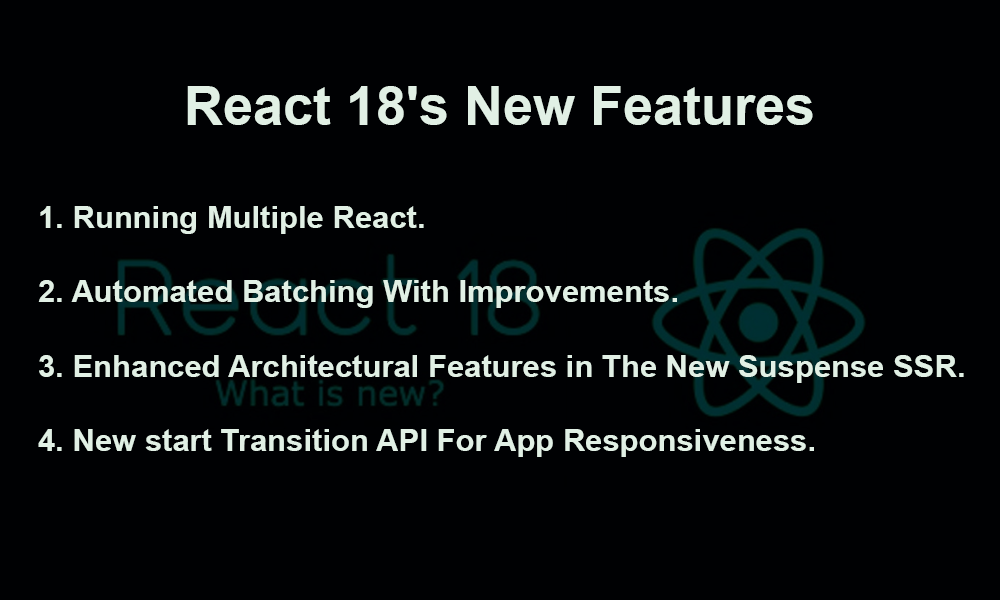
    React 18's New Features

    Some of the new features introduced in React 18 are listed below: 

    1. Running multiple react

    The most helpful addition to React 18’s feature set is this one, which fixes a significant concurrency problem. Concurrent response is a virtual element that facilitates the simultaneous execution of several user interface instances for developers.

    Here, the virtual assistant plays the function of an unseen feature that helps implement the feature by coordinating with backend operations. Because it differs from React’s rendering process, developers must be familiar with Concurrent React.

    The Concurrent reply has a reusable state, which is a great feature. It may undo changes made to the user interface and then utilize those changes again differently. There is a forthcoming component called <OffScreen> that may be used with this feature to take the process even further. 

    1. Automated batching with improvements

    One built-in feature of React is the ability to gather all the state changes using event handlers. In this way, the files are not presented until necessary. Also, React 18 Automatic Batching is an improved version of the Batching technique that simplifies constructing new states by merging them using createRoot. 

    Apps that do not need background processing, event handlers, batch state changes, timeouts, intervals, and updates are all involved. This code sample shows the significant differences between React 17 and 18. This option may help you save a lot of memory and time. 

    1. Enhanced architectural features in the new suspense SSR

    Using React Suspense, developers can monitor the rendering components while the process runs. In such instances, a fallback choice will be shown. In the most recent release of React, you may integrate this feature with the transition API. 

    It restricts your ability to edit the content and even reduces the rendering speed to make loading less noticeable. Until the user experiences a network problem, React Suspense offers a soothing loading state, which is helpful.

    1. New start transition API for app responsiveness

    The new transition component is part of React 18’s feature set. Depending on how frequently updates happen, developers may choose which ones to prioritize. Pressing, typing, clicking, and other direct engagements make significant impacts. Upon the developer’s request, these changes are promptly put into effect. 

    Read About A Complete Guide: Hybrid App Development

    Transition can be used in two ways 

    • State Transition: If there is no accessible opening hook, the transition stage will be triggered. 
    • User transition: The transition update is initiated via the user transition when a hook is available. The function stores a value to keep track of the pending state. 

    What is the best way to update to React 18?

    Simply updating from React 17 to the latest version of the framework will allow you to explore the new features and enhancements introduced by React 18. But if you follow these steps, you can quickly and effectively improve your react js. Just a few seconds are required to follow the straightforward directions. Follow these steps to install React 18, the latest version, on your development machine.

    • To install the latest version, use the following command: -npm install react-dom@rc and react@rc. 
    • The yarn add react@rc react-dom@rc operation is required when working with it.

    Using the latest version, you may use the additional capabilities and build a robust and aesthetically pleasing application with React JS. 

    1. Enhance Rendering APIs for Clients 

    Users downloading React 18 for the first time may see warnings since the ReactDOM.render capability was removed in the most recent version. The program is still using the most current update mode. With the new createRoot capability in React 18, developers no longer need to worry about the render method when rendering their HTML pages.

    1. Make Server-Side Rendering Improvements 

    React components use server rendering to generate HTML files sent to the client. Operating on the principle of a client-server architecture, it mediates communication between the two parties. The earlier streaming APIs have been deprecated as part of React’s 18 new features. Developers are welcome to utilize the newer ones. 

    Conclusion

    React 18 represents a significant milestone for the library as it introduces a fundamental change to its operation. Many improvements are automatic optimizations; hence, no code modifications are required. 

    For those still unsure, upgrading to React 18 is a must. 

    Because this release is a game-changer rather than merely significant, the React team has spared no effort in making the transition easy for users. You should hire reactjs developers from BOSC Tech Labs to participate in developing future features by the React team.


  • Add React into Your Existing Project: A Step-by-Step Guide

    Add React into Your Existing Project: A Step-by-Step Guide


    If you’re looking for a JavaScript framework, React is your best bet. Quickly and easily create feature-rich web applications with its help. Additionally, it facilitates the integration of third-party components, such as the React image uploader, into your ongoing project.

    It just takes a few lines of code. Because of this, things might become simpler for you. When attempting to incorporate React into an ongoing project, where does one even start, or should we hire reactjs team? This article has all the necessary information.

    Would it really be that simple to incorporate React into an already-existing project?

    Incorporate React into Your Current Project: Essential Resources

    • Ensure you mention the latest stable version or a version compatible with recent React versions. As of now, Node.js version 14 or later is generally recommended.
    • Ensure npm version mentioned is up-to-date with the latest recommendations. Currently, npm version 6 or later is generally advised.
    • Finally, a trustworthy code editor is a must-have. On the internet, you could discover a plethora of potential answers. Visual Studio Code is an intuitive editor. Its popularity among programmers is immense. 

    Use React in Your Existing Web App or Project

    Applying a React component to an already-existing HTML page is the subject of this tutorial. Observe these procedures:

    Step 1: Include the DOM container in the HTML

    Start by opening the HTML page that you want to modify. Craft a div element devoid of any content. Show off the upgrades here by putting React to work.

    Here we have the 

    <div id="medium_blog_container">
    
    <!-- Here we will mount our component -->
    
    </div>

    Step 2: Add script or react tags

    Next, you need to add three <script> elements to the HTML page before to the closing </body> tag.

    Through the first two tags, React is loaded. 

    Step 3: Create the component code

    A file called medium_post_component has to be included in your HTML page

    React may be built in JSX or in a non-JSX format. 

    <!DOCTYPE html>
    <html lang="en">
    <head>
      <meta charset="UTF-8">
      <title>Add React in One Minute</title>
    </head>
    <body>
    
    <p>This page uses React with no build tooling.</p>
    <p>React is loaded as a script tag.</p>
    
    <!-- We will put our React component inside this div. -->
    <div id="medium_blog_container"></div>
    
    <!-- Load React. -->
    <script src="https://unpkg.com/react@17/umd/react.development.js" crossorigin></script>
    <script src="https://unpkg.com/react-dom@17/umd/react-dom.development.js" crossorigin></script>
    <!-- Note: When deploying, replace "development.js" with "production.min.js". -->
    
    <!-- Load our React component. -->
    <script src="medium_post_component.js"></script>
    
    </body>
    </html>
    

    Add React to Existing Project – Add JSX To A Project

    No complicated tools, such as a bundler or development server, are required to incorporate JSX into a project. The method of including a CSS preprocessor is really very similar. However, Node.js has to be installed on your machine. It is very necessary.

    Integrating JSX couldn’t be easier. Here are the basic procedures that must be adhered to:

    Use the terminal to go to the folder where your project is saved.

    Now, run the following command.

    npm init -y

    Execute the command npm init -y. In the event that the last attempt was unsuccessful, you may try this:

    npm install babel-cli@6 babel-preset-react-app@3

    That’s it! You now have a production-ready JSX setup in your project.

    Add React to Existing Project – Run JSX Preprocessor

    In order to start the JSX preprocessor, a folder called “src” has to be established. After that, type this into the terminal:

    npm install babel-cli@6 babel-preset-react-app@3

    Be wary of the following warning: “You have mistakenly installed the babel package”; it appears when you least expect it. You could have forgotten about the previous step. Running it in the same directory could make it work. It should fix the issue.

    You are not need to remain still until the treatment is finished. With the aforementioned command, you may set up an automated watcher for JSX.

    If you create a file in the src folder with the name like button.js, the watcher will produce that file. It will include simple JavaScript code that is compatible with browsers.

    On top of that, you may use it to take advantage of the most recent syntactic advancements in JavaScript. You may use classes without worrying about compatibility issues with older browsers, for example.

    Keep in mind that npx does not indicate an error. A package execution tool is pre-installed with npm 5.2+.

    Add React to Existing Project – Using Fetch To Make HTTP Calls in React 

    The Fetch() API is available to browser users. With it, you may make HTTP calls. What follows is an analysis of the Fetch API’s standard syntax.

    let response = fetch(
    
        API_URL,
    
        .... (some more options)
    
    );

    In this case, you’re calling the getNames function. It is able to retrieve data. On top of that, it gets other parameters, like—

    • It’s a great way to tell what sort of HTTP request you’re getting.
    • You may use it to set content request headers or permission headers.
    • The “mode” property tells us whether the mode is cors or no-cors.
    • You may send extra information to the server using the “body” component of a request.

    To illustrate how a React component may use Fetch, consider the following:

    async getName(){
    
      //With .then and .catch section
    
      let response = await fetch("https://jsonplaceholders.com/users")
    
      .then(resposne => {
    
        return response.json();
    
     setNames(response )  
    
      })
    
      .catch(error => {
    
        console.log(error);
    
      });
    
    }

    Tips for Adding React to Existing Project

    1. Reuse a Component 

    You would want to have React components shown in several places on an HTML page. Here are the measures to take in that direction:

    Navigate to the HTML file that you own. Insert the lines that follow:

    <!DOCTYPE html>
    
    <html>
    
      <head>
    
        <meta charset="UTF-8" />
    
        <title>Add React in One Minute</title>
    
      </head>
    
      <body>
    
        <h2>Add React in One Minute</h2>
    
        <p>This page demonstrates using React with no build tooling.</p>
    
        <p>React is loaded as a script tag.</p>
    
        <p>
    
          This is the first comment.
    
          <!-- We will put our React component inside this div. -->
    
          <div class="like_button_container" data-commentid="1"></div>
    
        </p>
    
        <p>
    
          This is the second comment.
    
          <!-- We will put our React component inside this div. -->
    
          <div class="like_button_container" data-commentid="2"></div>
    
        </p>
    
        <p>
    
          This is the third comment.
    
          <!-- We will put our React component inside this div. -->
    
          <div class="like_button_container" data-commentid="3"></div>
    
        </p>
    
        <!-- Load React. -->
    
        <!-- Note: when deploying, replace "development.js" with "production.min.js". -->
    
        <script src="https://unpkg.com/react@18/umd/react.development.js" crossorigin></script>
    
        <script src="https://unpkg.com/react-dom@18/umd/react-dom.development.js" crossorigin></script>
    
        <!-- Load our React component. -->
    
        <script src="like_button.js"></script>
    
      </body>
    
    </html>
    1. Go to your JavaScript file. Insert this code:

    const LikeButton = ({ commentID }) => {
    
      const [liked, setLiked] = React.useState(false);
    
      if (liked) {
    
        return `You liked comment number ${commentID}`;
    
      }
    
      return (
    
        <button onClick={() => setLiked(true)}>
    
          Like
    
        </button>
    
      );
    
    };
    
    // Find all DOM containers, and render Like buttons into them.
    
    document.querySelectorAll('.like_button_container')
    
      .forEach(domContainer => {
    
        // Read the comment ID from a data-* attribute.
    
        const commentID = parseInt(domContainer.dataset.commentid, 10);
    
        const root = ReactDOM.createRoot(domContainer);
    
        root.render(
    
          <LikeButton commentID={commentID} />
    
        );
    
      });

    Conclusion 

    Simply said, you have gained the knowledge necessary to incorporate React into an ongoing project. You also have a solid grasp of useful tips, such as how to reuse components and minify JavaScript so it’s ready for production. You may immediately start using React and hire reactjs developer for your next project  to effortlessly improve your existing applications and include amazing features.


  • Why Should You Use React Native for Mobile App Development?

    Why Should You Use React Native for Mobile App Development?

    In the digital world, developing mobile apps is the best approach for the business owner to survive in the business landscape. Using the perfect app is a strategy for many businesses. As a startup company owner, you must have an app to create a presence and reach the target audience. 

    Innovation and advancement in app development framework make the process easier and quicker. React native is the most popular framework in mobile app development. If you need an app with this framework, you can hire React developers and begin the project. It is a great asset for improving app development.

    About react native

    It is an open-source framework that uses JavaScript as a programming language. React native is excellent for minimizing development time and enhancing app performance. Usually, developers use Java for Android apps and Objective C or Swift for iOS apps. 

    React native helps developers prevent such things and develop completely functional apps that work well on Android and iOS. It is a good method to reduce the time utilizing one code base. Many companies are willing to make an app with this framework due to the one-code strategy and deploy the app on Android and iOS platforms. 

    • Simplicity

    React native is simpler to use and pick up than other frameworks. It uses a basic understanding of JavaScript. React native is a highly demanding framework in the app development market. It is an intuitive approach to creating a mobile app.

    A simplified programming model works completely depends on javascript. It is easy for developers to build an app without learning new tools and programming languages. React reusable components, modular architecture, and a declarative approach to creating UI makes creating and managing apps easy.

    • Such an approach is beneficial for developers to write the code once and use it on different platforms.
    • Developers have complete freedom to save effort and time.
    • React simplicity is a great option for business owners who need quality apps quickly.
    • On the other hand, business owners benefit from a streamlined development process. 
    • It allows the business to minimize costs and provide a stunning user experience, driving revenue and engagement. 
    • Extremely robust

    Functionalities in the React framework help the business to build robust apps. Installing react native requires a simple procedure, a single programming line, and a node package manager. A robust framework assists developers in acquiring resources and tools for the high-performance app. 

    Reusable components and modular architecture are major highlights in the framework to create and manage apps. It is the best solution to prevent the risk of bugs and errors. The framework is well-suited for a wide range of technologies and platforms. Developers easily create the scalable and robust app that deal with the high level of usage and user traffic. 

    • Huge community

    In the present scenario, many developers move towards the react project for several reasons. Developers get the proper answer about the framework from the community. React native manages a vibrant community of developers.

    Community is an important part of the framework that gives developers a wealth of resources and knowledge. These are essential to create an app with react native. A community works actively to framework development.

    With the help of the community, developers get access to the vast collection of tools, libraries, and documentation to create quality apps. It also supports diverse platforms like desktop, web, and virtual reality.

    The community is responsible for updating and enhancing the framework, solving bugs, and adding new attributes to aid developers. React framework is up-to-date and relevant with the latest technology and trends. It is a good solution for the business to create a high-performance app.

    8 Crucial Tips for Optimal App Speed in Mastering React Native Performance in 2023-24

    • Works with diverse platforms

    React framework works in diverse web browsers. Users can use the app on a desktop or mobile device based on their wishes. React native is compatible with any platform and easily creates an app for Android and iOS. 

    • Developers create code using JavaScript and reuse the same code for the Android and iOS platforms. 
    • It signifies that react native offers cost-effectiveness and development for business.
    • Developers also incorporate react with other technologies, including flux, mobx, and redux.
    • These are essential to maintain the data and state effectively.

    React framework works with the web platform and makes it ideal to reuse code throughout diverse platforms. React compatibility with different technologies and platforms makes it a good option for businesses to develop functional and high-performance app. 

    • Quick performance

    React developers can reuse framework code by shortening app development and maintenance with good performance. React native is well-known for fast performance rather than conventional app development. 

    React framework has diverse approaches to delivering components. It utilizes compiled code that runs on a device processor instead of Webview and other tools. It is efficient for smooth animation, quick rendering times, and overall performance.

    It is completely optimized for mobile platforms and lets developers create quality apps that load on devices with the slow connection. With quick performance, the react framework is cost-effective for making apps that bring seamless user experience. It is useful for businesses to boost user engagement and drive revenue. 

    • Highly dependable and swiftness

    It is a highly dependable framework that provides a high level of stability and reliability. Developers gain immense benefits when working with a consistent and stable environment to create apps with fewer changes, errors, and bugs. 

    When using React, developers spend a few minutes coding and building standalone apps that influence Swift, java, and native-backed languages. It is a fast framework that enables developers to create efficient apps quickly. Simplified programming models and modular architecture make the framework simple to write and manage code and minimize development time.

    Conclusion

    Overall, the scalable and robust application becomes the future for tech innovation. You can hire react developers and get apps for business. React native framework makes it faster and easier to build an app with stunning quality. It works as a hybrid app development platform that presents the native app and ease of development. 

  • How Much Does it Cost to Hire a React Developer in 2026?

    How Much Does it Cost to Hire a React Developer in 2026?

    React is the best front-end application development framework for creating dynamic and interactive web applications. With that, product owners have found significant benefits for their business: high performance, scalability, dependability, adaptability, and other advantages that they are offering. However, among the several front-end frameworks accessible, if you’ve chosen to use React and are wondering how much it would cost to hire React developer, then you’ve come to the right place! This blog post covers all the details a business owner need. Let’s examine the cost of developing React applications, hiring React developers from various areas, and several other factors.

    Overview of React

    React is famous for developing fast and easy-to-understand interactive user interface components. React is an open-source front-end library. However, it has become increasingly popular, attracting many leading companies like Facebook, Twitter, Amazon, and many more.

    The first step in successfully developing a project involves considering hiring an experienced developer with the funds needed to create the intended app. Let’s examine the factors that affect the React app development cost.

    Factors Affecting the React App Development Cost

    To determine how much it will cost to develop web application in React, examine the following factors: project size, recruitment strategy, complex features, and third-party integrations.

    1. Project Size

    The scale of the project and the specifications you need to meet to get your product ready for the market are two of the most crucial aspects of developing a React application. The cost of development varies according to the needs of your product. While fulfilling the project requirements, the development time increases. It has an automatic impact on the cost of developing a React app.

    Project sizes are always determined by the kind of application that is required to meet your needs. React supports different application development types. The list of application types that can impact project size is below.

    • Single-page applications (SPAs) belong to the most popular and widely utilized application types. The user does not need to refresh the page while using this application. The two most common instances of SPAs are Gmail and Google Maps.
    • Applications at the enterprise level gather more user data. Therefore, these applications need high-performing servers to maintain the application’s performance.
    • Social Networking Application uses React’s UI library, which is ideal for dynamic social networking applications like SPAs. Websockets, another feature of React, makes real-time data processing easy for social networks.

    2. Features Complexity

    Applications with lots of features attract more users’ attention. Simple features are typically provided without charge, but more complex features require payment, which determines all the development costs. Complex features include attributes like video streaming, map integrations, and payment integration. You’ll also need a unique set of skills to incorporate these features into your application.

    3. Model of Recruitment

    The recruitment model you select for your application development will also affect the cost of developing a React application. The two engagement models are the dedicated model and the fixed price model.

    The fixed price model has financial limits and specific requirements that must met to follow the project to be finished by the deadline. Business owners with small and constant needs for their digital products tend to favor these models highly.

    Since the requirements for the dedicated model are flexible and subject to change as applications are developed, it is regarded as long-term product development.

    4. Third-Party Implementation

    Third-party integrations influence the cost of developing a React app in web application development. Creating engaging and visually appealing applications also involves third-party integration, including integrating external libraries. Applications may perform worse when third parties incorporate libraries. Business owners must pay for these integrations to maintain a highly optimized app, which raises the overall cost of React development.

    5. UI/UX Designs

    The React app development cost may vary depending on how your application is designed. When designing a high-end, visually appealing user interface, more features are needed at a higher price than in basic design. However, maintaining an acceptable web app development budget is necessary to attract more users and earnings.

    The Cost to Hire Remote React Developer: Depending on Location

    The total cost of hiring a React app development company varies based on the location where you want the app to be developed. The average price of creating a React app may change depending on the country. In the United States, junior developers typically charge between $40 and $80 per hour, while skilled programmers charge between $120 and $150 per hour. Junior programmers in Australia usually charge $60–80 per hour, while experienced programmers charge roughly $120–140. In Europe, a junior developer typically costs between $40 to $60, while a senior developer typically costs $120 to $140. These are the few nations in which developer prices may vary depending on their geographic location. Therefore, you should consider their cost while hiring a React developer, but in return, you will receive a top-notch app that will enable it to compete with your competitors in the market.

    Factors influencing for Hiring a React Developer

    Product owners must now take note of a few essential skills in React developers for successful React application development due to the massive need for React developers. Whenever you hire React developers, keep the following factors in mind:

    1. Technical Expertise

    The React developers you want to hire should be technically proficient in JSON, Rest APIs, Advanced HTML (the most recent iterations of HTML), and numerous other technologies. React programmers with JSX’s proficiency in fundamental ideas like functional modules contribute different knowledge and insight into product development.

    2. Skilled in several technologies

    Experts in various technologies and development platforms, such as React developers, are now optional. Most experienced developers can create full-stack applications using MERN Stack and Express.

    3. Develop Tools

    Product owners should consider the build tool factor (Visual Studio Code, Webpack, DevTools, NPM, etc.) that all React programmers should be familiar with and skilled in multiple frameworks.

    Hire React Developers - Bosc Tech Labs

    Determine the Hiring Cost for a React Developer Using the Engagement Model

    The cost of hiring a remote React developer varies depending on the country, as was explained in the blog post above. To help you understand how much it will cost to hire a React developer, let’s now examine the various remote recruiting models.

    1. Dedicated Team Model

    Dedicated team models are especially beneficial to companies where team members must work longer shifts. With this dedicated team model, you can select how many experts will work with you so that you can complete the product development early.

    A company with unique needs and features in its application development is the most suitable for this development. You can hire dedicated programmers with a highly talented and experienced development team by working with companies like BOSC Tech Labs, which offers the best React development support.

    2. Fixed Price Model

    The fixed price model is typically employed when requirements, deadlines, and budgets are set in stone. Since all requirements are predefined before the development of the React application, there are no criteria for changing anything during the development phase of this fixed-price model. The fixed price model is adequate for small projects and doesn’t require additional features to develop applications.

    Therefore, the average hourly rate at BOSC Tech Labs for hiring a React developer is $25; however, the rate may vary based on the developer’s skill level.

    Conclusion

    This blog post has given you the most accurate information about the cost of hiring a React developer and the cost of developing a React app. But remember that the development price can change depending on several factors. Furthermore, React is used to create scalable, dependable, safe, rich, and user-friendly web app development; connect with the leading React app development company like BOSC Tech Labs, who will manage and provide you with top-notch apps. So, let’s get connected!

    Get in touch with us

  • A Complete Guide on How & Why to Hire React Native Developers

    A Complete Guide on How & Why to Hire React Native Developers

    Businesses are always looking for exceptional React Native developers to complete their projects. It explains why the most popular framework for developing dynamic mobile applications is known as React. The high demand for React Native framework makes it challenging for companies, so you must hire React developers. You can find the most suitable React Native engineer for your company with the help of the React Native developers article.

    You can be confident that within an hour, technology will either change or stay the same, even if you have yet to determine when you will complete reading this post. The fact that cross-platform React Native app development has a bright future is the finest section, though. In 2023, it will still be the state-of-the-art technology for developing platform-neutral apps for commercial use. Its ability to create highly dynamic apps with responsive UI/UX and compatibility for iOS and Android is still its most outstanding feature.

    What is React Native?

    The popular open-source framework React Native was first released in 2015 and is used to create mobile applications. Facebook is the developer of it. JavaScript can be used to develop mobile cross-platform apps with native features. You may use a single codebase to create natively rendered iOS and Android mobile apps.

    Expert React Native Developers use the React Native framework to develop mobile apps by writing JavaScript code. React Native quickly eclipsed all other frameworks in developer popularity because of its cross-platform adaptability, performance, and well-known, identifiable features. Finding dedicated React Native developers who can fully utilize this framework to provide exceptional results is crucial when considering your mobile app development project.

    It makes it possible to develop beautiful mobile apps that run smoothly on both iOS and Android. As customers can use it without a phone, companies can avoid designing an app twice, saving money. Because of its capabilities, React Native is one of the most popular frameworks for developing apps.

    According to the 2023 Stack Overflow Developer Survey, React is the most popular JavaScript library for front-end development, with 40.58% of respondents reporting using it. This is a significant increase from the 34.1% of respondents who reported using React in 2022. The popularity of React is due to its many advantages, such as its component-based architecture, its declarative programming style, and its large and active community.

    Which factors should you consider when you hire a React Native Developer?

    1. Cost-efficiency

    Once you’ve decided to create your app using React Native, the next phase is deciding how you want it constructed. In general, it makes sense to hire a React Native developer. You save both money and time by doing this. You also avoid the hassle of individually designing your applications for the iOS and Android operating systems.

    2. Preview and Real-Time Feedback

    Instantaneous code modification result visualization is one benefit of utilizing React Native. They can examine the changes, consider the most recent comments, and make the best decision.

    3. Flexible Architecture

    Developers using React Native can instantly engage their team in their work. The flexible architecture makes updates more accessible and allows other React Native experts to provide suggestions.

    4. Skilled developers

    You may search for, find, and opt for the best developer available for the job when you choose to work with React Native developers to build your app. You can select one with ease from a pool of skilled programmers who have years of experience developing applications using React Native technology. They’ll also ensure quick delivery and build your apps quickly. This reduces the overall time required to make it live.

    5. Dedicated Resources

    Dedicated solution providers like BOSC Tech Labs offer React Native developers for hire who can provide you with expert Native app development services. Our programmers are well-versed in leveraging the React Native technology to create mobile apps. We also offer 24/7 support so that you may reach us at any time.

    Soft Skills Required of a React Native Developer

    1. Time Management

    Most React Native developers have tight schedules to meet. This is why you should work with a React Native engineer who manages his time well. One suitable method to test this would be to assign a brief assignment with a tight deadline to the React Native developer. If they can submit them within the project’s deadline, they will be a perfect fit for the company.

    2. Communicative Skills

    It makes sense that the most accomplished speaker in the room would not be a React Native developer. However, having strong communication skills is essential for any role. They will participate in meetings with customers and possibly even team discussions. Therefore, if React Native developers cannot explain their concerns in a language that makes sense, it will take longer than necessary to complete jobs.

    3. Teamwork

    Collaboration is one of the most critical skills developers must have for their businesses to succeed anywhere. Because it requires different contributions at various stages and the finish of several tasks at once, software development is a team activity. Employers should look for candidates who are regularly willing to share their knowledge, take responsibility for their work, and listen to criticism while recruiting React Native programmers.

    Key Considerations When Hiring React Native Developers

    Hiring dedicated React Native developers requires careful consideration of every application aspect. Choosing the best candidate will save the company from potential problems. A simple and error-free app design must have been the product of the best hands. These kinds of developments are the outcome of the unit’s hard work.

    Before beginning the hiring process, establish what your organization requires, such as if a React native dev is needed for a web application or a mobile app. This is equally important as it influences development because of the different skill sets.

    Schedule an interview with React developers

    Technical Skills for React Native Development

    Here are the technical skills that a React Native developer must possess:

    Strong proficiency in JavaScript: JavaScript is the foundation of React Native development, and a strong understanding of the language is essential for building robust and performant mobile apps.

    Familiarity with JavaScript frameworks: React Native developers should be familiar with popular JavaScript frameworks like React, Redux, and MobX. These frameworks provide tools and patterns for building complex React Native applications.

    In-depth knowledge of React Native libraries: React Native comes with a rich ecosystem of libraries for various functionalities, such as UI components, networking, and navigation. Developers should be proficient in using relevant libraries to enhance their app’s capabilities.

    Understanding React Native concepts and architecture: A deep knowledge of React Native’s core concepts, such as components, state management, and rendering, is crucial for building well-architected and maintainable apps.

    Experience with cross-platform development: React Native is known for its cross-platform capabilities, and developers should have experience building apps that work seamlessly across iOS and Android platforms.

    Proficiency in UI/UX principles: Creating engaging and user-friendly mobile apps requires a strong understanding of UI/UX principles. Developers should be able to design intuitive interfaces that adhere to best practices.

    Knowledge of native development: Familiarity with native iOS and Android development can be a valuable asset for React Native developers. It allows them to optimize app performance and integrate with native features when necessary.

    Staying up-to-date with technology trends: The mobile app development landscape is constantly evolving, and React Native developers should be committed to staying up-to-date with the latest tools, frameworks, and trends.

    Conclusion

    React Native is gaining popularity in mobile app development since programmers widely use it. It gives developers the capacity to create complex and substantial apps with ease. React Native is among the most significant choices for companies developing mobile applications, as demonstrated by the advantages mentioned above.

    BOSC Tech Labs is aware of the benefits of React Native, including its cost-effectiveness, speed, and seamless cross-platform experience. We work to create your success story, not just hire people. We are aware of React Native’s ability to create flawless cross-platform experiences. Our developers are skilled at using this capability to create applications that function smoothly on both iOS and Android. So, contact us for the development!

    Get in touch with us

  • Best Practices for React Application Architecture: Tips for Developers

    Best Practices for React Application Architecture: Tips for Developers

    React is an appreciated JavaScript library for developing web application user interfaces. React is a front-end framework with several features that enable the development of highly responsive and interactive user experiences. To guarantee the maintainability, scalability, and speed of your React application, it is crucial to use the appropriate architecture and best practices as it become more extensive and more complex.

    This article will discuss the best practices for developing a React application architecture, enabling you to create a reliable, efficient, and scalable application.

    React Application Architecture: What Is It?

    A set of regulations, ideas, and patterns known as React application architecture creates dependable and scalable React applications. It refers to the application’s general layout, which includes the components’ organizational structure, the data flow between them, and the application’s structure. A well-designed React application offers an excellent user experience and is simple to extend, test, and maintain.

    A React application’s architecture might change based on the particular demands and specifications of the project. However, there are a few standard patterns and best practices of React that programmers can implement to make apps that are effective and manageable.

    In general, a robust React application architecture is needed.
    Be modular and reusable: Components should be crafted to make their reuse possible in different parts of the program.
    Be simple to comprehend and implement: The application’s architecture should be well-structured, with distinct areas of focus assigned to each component.
    Be scalable: Without getting complicated, the design should be able to manage growing volumes of data and complexity.
    Be testable: The architecture is to make it simple to create automated tests for various program components.
    Be performant: A fast and efficient architecture with minimal load times and seamless user interactions is to be achieved.

    These specifications help developers build React apps that are scalable, reliable, and simple to test, maintain, and expand.

    Top Practices for Developing a React Application Architecture

    1. Component-Based Architecture

    One essential component of developing a React application is a component-based architecture. With this approach, every component is made to handle a particular area of the user interface. You can design a more reusable, maintainable, and scalable architecture by dividing your application into smaller, reusable components.

    2. State Management

    The critical element of developing a React application is state management. The term “state” describes the information that determines how your components behave and appear. The state is used in React applications to hold down the state of the user interface and any information that has to be passed to other child components.

    You can utilize a variety of state management libraries, such as MobX React context or Redux. You may also systematically manage your application’s state with these libraries’ help.

    3. Performance Optimization

    A crucial component of developing a React application is performance optimization. Maximizing your application’s performance as it grows more extensive and complicated is essential to providing a quick and responsive user experience. The efficiency of your React application can be increased by utilizing several strategies, including server-side rendering, code splitting, and lazy loading. These methods can enhance user experience, improve performance, and reduce the time it takes for your application to download initially.

    4. Maintaining records

    Creating a scalable and maintainable React application requires extensive documentation. It will be simpler for other developers to comprehend and maintain your application if you document the source code. You can utilize many tools, including React Styleguidist and JSDoc, to write your React application. Using these tools, you can create simple and understandable documentation that explains the purpose, characteristics, and application of your modules and components.

    Schedule an interview with React developers

    5. Code Organization

    Creating a React application that is manageable requires proper code organization. The need for a clear, well-organized structure that helps code discovery and maintenance arises as your codebase develops. Organizing each feature of your application into a separate folder is one method called “feature folders.” This method makes it easier to locate and maintain associated components and modules by combining them.

    6. Immutable state

    Immutable state is data that is unchangeable. This makes reasoning about your code more accessible, preventing errors and improving performance.In React, an immutable state is often implemented using immutable data structures, such as objects and arrays. Immutable data structures are created using functions that return new copies of the data rather than modifying the existing data. This ensures that the original data is never changed and that the state of your application is always consistent.

    7. The separation of Concerns

    One of the most crucial software engineering principles is the separation of concerns. When developing a React application, this means dividing your application’s various components into discrete layers, such as data access, presentation, and business logic. The business logic layer handles the application’s logic and behavior, while the presentation layer demonstrates the user interface. The retrieval and manipulation of data are under the control of the data access layer.

    You may build a more scalable, maintainable architecture that is simpler to understand and adjust by dividing these problems.

    8. Testing

    Developing a React application requires testing. You may ensure your application works as intended by thoroughly testing your code to find and fix problems and issues early. You can utilize a variety of testing libraries and frameworks, including Jest and Enzyme. These frameworks can assist you in developing tests that confirm how your application behaves and make sure it meets your requirements.

    Conclusion

    To sum up, React application architecture is essential for creating scalable, maintainable, high-quality web applications. Developers may build a robust architecture that improves the overall efficiency of the application and organizes their codebase by following the React application architecture best practices outlined above. Before beginning the development process, the architecture must be carefully planned and designed because doing so will eventually save much time and work.

    BOSC Tech Labs has a team of skilled React developers who follow the industry’s best practices while creating scalable and excellent web apps. Our architecture design and React programming expertise promise our clients the best solutions for their business requirements.

    Frequently Asked Questions (FAQs)

    1. What is React application architecture?

    React application architecture is how a React application is organized and structured. It includes things like how the components are structured, how the state is managed, and how the data is fetched and displayed.

    2. Why is it essential to have a good React application architecture?

    A good React application architecture can help to build more robust, efficient, and scalable applications. A well-structured codebase is easier to understand and maintain.

    3. What is the role of state management in React architecture?

    State management is crucial for controlling and sharing data across components. Libraries like Redux and Context API help manage application states efficiently.

    Get in touch with us

  • 8 Crucial Tips for Optimal App Speed in Mastering React Native Performance in 2026

    8 Crucial Tips for Optimal App Speed in Mastering React Native Performance in 2026

    A popular framework for creating cross-platform mobile applications is React Native. It also delivers a seamless and responsive user experience. React Native apps’ performance must be optimized, as with any other technology. In this blog post, we’ll look at eight valuable suggestions for improving React Native speed so your app runs smoothly.

    Hire React Native developers to help you optimize your app’s performance. They have the knowledge and experience to identify and fix performance bottlenecks, implement best practices, and optimize your app for specific devices and operating systems.

    What are the benefits of React Native performance in app development?

    Benefits of React Native performance in app development:

    1. Improved user experience:

    A good user experience is paramount for any app and React Native performance can play a vital role in achieving this. Users interacting with a fast and responsive app are more likely to feel satisfied and engaged. This can lead to better ratings and reviews and increased customer loyalty.

    2. Reduced development time and cost:

    React Native’s cross-platform development capabilities can help businesses save time and money on app development. By writing a single codebase that can be deployed to both iOS and Android devices, companies can reduce the need to hire and manage separate development teams. This can also streamline the development process and reduce the overall time it takes to bring an app to market.

    3. Better scalability:

    React Native apps are designed to efficiently handle increased traffic and user demand. This is important for businesses expecting their app to become popular over time.

    4. Increased competitiveness:

    In today’s competitive app market, businesses must deliver high-quality apps that perform well. By using React Native, businesses can create fast, responsive, and scalable apps. This can help them to stand out from the competition and attract more users.

    5. Faster and more responsive apps:

    React Native apps are known for their performance, essential for delivering a smooth and engaging user experience. Fast and responsive apps are more likely to be used and enjoyed by users, leading to increased downloads, engagement, and revenue.

    Overall, React Native performance offers several significant benefits for app development. By building apps with React Native, businesses can create faster, more responsive, and scalable apps that deliver a better user experience and help them increase their competitiveness.

    Schedule an interview with React developers

    Tips for Optimal App Speed in React Native App Development

    1. Keep Components Lightweight:

    React Native relies on a component-based architecture, so choosing lightweight components for the best speed is essential. Utilize PureComponents or shouldComponentUpdate lifecycle methods to stop unnecessary updates and avoid excessive rendering and re-rendering in React. Reduce the number of stateful components as much as you can, and use functional components alternatively whenever you can.

    2. Use FlatList for Efficient List Rendering:

    For effective list rendering, use the FlatList component supplied by React Native when working with lengthy lists. By simply showing the currently visible items on the screen, FlatList renders vast data sets efficiently, using less memory and functioning more quickly. Please avoid using ordinary maps or loops for rendering lists, as they can slow down performance.

    3. Image optimization:

    This is important as it can affect how well an app executes. Utilize compressed images and appropriate file formats, such as WebP or JPEG, to optimize image size and structure. Consider using lazy loading to only load images when they are accessible. To speed up image loading and improve performance, use react-native-fast-image and react-native-lazy-load libraries.

    4. Minimize Renders and Reconciliations:

    React Native uses a reconciliation method to change the user interface quickly. Minimized renderings and reconciliations can lead to significant improvements in performance. Use memo or useMemo hooks with the memoization approach to stop pointless re-renders and improve efficiency by reducing redundant computations.

    5. Use Native Modules and Native Code:

    React Native enables the integration of Native Modules and Native Code into your application. Consider using native code to develop performance-critical features or components when it becomes an urgent problem. Because native code executes more quickly than JavaScript, you can improve performance for particular capabilities.

    6. Make use of virtualized lists:

    Try out VirtualizedLists while dealing with massive data sets or lists that don’t fit entirely on the screen. VirtualizedList and SectionList components in React Native are made to handle significant volumes of data effectively. They consume less memory and make scrolling easier by simply rendering the visible section of the list.

    7. JavaScript code optimization:

    It dramatically impacts how well React Native apps perform. JavaScript code can be compressed and packaged to make it smaller. Use tools like Terser or UglifyJS to eliminate extra code, comments, and whitespace. JavaScript code execution times can be sped up using code-splitting techniques, fewer modules, and faster initial load times.

    8. Profile and Optimize:

    Identify performance bottlenecks and potential areas for improvement by evaluating your React Native application. Use tools like Flipper, Chrome DevTools, or React Native Performance to examine CPU, memory, and network request utilization. To improve the general effectiveness of the application, identify and correct any performance problems or unnecessary resource utilization.

    Conclusion

    For mobile application development to provide a high-quality user experience, React Native speed optimization is essential. You can ensure that your React Native app runs at its peak by paying attention to these eight tips. These methods will assist you in developing quick and responsive applications that users will like, from keeping components lightweight to utilizing native code and optimizing JavaScript. As your app grows and expands, remember that continual monitoring and tuning are essential to guaranteeing optimal performance. For more information about React Native app development, contact us now!

    Frequently Asked Questions (FAQs)

    1. How can you optimize the React Native apps performance?

    Utilizing PNG instead of JPG and smaller-resolution images are two of the best image practices for React Native apps. Additionally, you may use the WEBP format to practically half the binary size of your photographs on iOS and Android.

    2. Why is React Native performance important?

    React Native performance is crucial because it can significantly impact an app’s user experience. Fast and responsive apps are more likely to be used and enjoyed by users, leading to increased downloads, engagement, and revenue.

    3. How to speed up React Native development?

    To speed up React Native development, you can use various tools and techniques, such as hot reloading, code generators, and third-party libraries. It is also essential to optimize your code and use best practices.

    Get in touch with us

  • Django Vs. React: A Key Differences

    Django Vs. React: A Key Differences

    The choice of framework matters tremendously in the rapidly evolving world of web development. It serves as the turning point for the success of digital efforts. This essay highlights two titans—Django and React—as we go through the crucial decision-making process. Further, we’ll discuss Django VS React to help you understand which one is better.

    Django, a model of backend prowess and an extension of the Python ecosystem, offers an array of features and tools for developing reliable web applications. The front-end innovation is led by React, a JavaScript library that creates dynamic, interactive user interfaces. This introduction provides the basis for an in-depth look at their advantages and disadvantages in web development.

    Overview of the Django

    The robust Django web framework is rooted in Pythonic elegance and is respected for its high-level abstractions and quick development capabilities. It supports the Model-View-Controller (MVC) architecture and the Don’t Repeat Yourself (DRY) concept by speeding application development.

    Key Features and Benefits

    The arms of Django include a comprehensive library of reusable components, built-in admin interfaces, and ORM for database abstraction. It promotes security by implementing safeguards against SQL injection and Cross-Site Request Forgery (CSRF).

    Sectors where Django Performs Best

    Data-driven applications, e-commerce platforms, and content management systems are just some of the areas where Django specializes. It succeeds when security and scalability are top priorities, such as in the publishing, financial, and government industries.

    Community Resources and Support

    It has a lot of support from the Django community, providing plenty of documentation, tutorials, and packages. This ever-evolving ecosystem fosters creativity and problem-solving.

    Limitations and Difficulties

    Despite their benefits, real-time apps and front-end interactivity present difficulties for Django. Due to its monolithic form, it may not be suitable for projects with uncommon requirements or microservices architectures due to its monolithic structure.

    React: Unveiling the JavaScript Library

    React emerges as an influential factor in the global marketplace of JavaScript libraries, providing an overview of its complexity.

    An Introduction
    Facebook’s React, a JavaScript package, is the best tool for creating dynamic, component-based user interfaces. Performance is optimized by its Virtual DOM and unidirectional data flow with the help of the skilled React developers.

    Fundamental Concepts and Benefits

    The principles of components, JSX (JavaScript XML), and state management form the framework of React. These concepts promote modularity and reuse, boosting the effectiveness of UI development.

    React Ideal Project Scenarios

    Progressive web apps (PWAs) and single-page applications (SPAs) require rich, interactive user interfaces, and React grows in these projects. It shines in situations when regular modifications and seamless user interfaces are needed.

    Effective React Community and Ecosystem

    React, which has a strong community, thrives on contributions to open-source projects, additional libraries from outside sources like Redux and React Router, and a dynamic ecosystem. This support speeds up the development process.

    Schedule an interview with IOS developers

    React and Django: Comparison

    Understanding the critical differences between Django VS React, we explore the comparison domain.

    1. Languages for Programming

    Python-based Django provides an exceptional backend solution. React, a JavaScript feature, focuses mainly on front-end user interfaces in contrast. The decision depends on whether you favour JavaScript’s versatility or Python’s elegance.

    2. Structure: Front-end vs. Full Stack

    A full-stack framework, Django includes both backend and front-end elements. On the other hand, React is only a front-end library. The decision is based on the project’s architectural specifications.

    3. Considerations for Scalability and Performance

    Scalability for complicated applications is made more accessible by Django’s organized approach. React is excellent at high-performance front-end activities because it primarily focuses on UI rendering. The decision is based on the particular scalability requirements of your project.

    4. Development of User Interfaces

    Django relies on templates for front-end rendering, whereas React supports component-based UI development. Your preference for component-driven architecture or templating will decide your decision.

    5. APIs and Data Handling

    Django is a good option for projects requiring a lot of data because of its ORM, which simplifies database operations. Particularly in single-page applications, React grows while interacting with APIs.

    6. Authentication and Security

    The well-known security features of Django include built-in systems for authentication and protection. To authenticate users, React uses backend systems as a front-end library.

    Conclusion

    This article has given you the guidance needed for integrating the Django VS React frameworks for your upcoming web development project. However, to create a flawless web app, you must ensure that the developmental phases are carried out correctly and that the web app is maintained and updated after they go live. You should work with a skilled React app development company that provides end-to-end services.

    Frequently Asked Questions (FAQs)

    1. What is Django?

    Django is a Python web framework that promotes rapid development and logical, clean design. Built by experienced developers, it takes care of the hassle of web development so you can focus on your app.

    2. What is React?

    React is a JavaScript library for making user interfaces declarative, effective, and adaptable with its features. With React, you can create reusable UI components that make building complex and dynamic interfaces easy.

    3. Which framework should I choose for my project?

    If you are new to web development or looking for a framework that is easy to get started with, Django is a good choice. However, React may be a better option if you need more flexibility or your project has specific requirements that Django cannot meet.

    Book your appointment now

  • A Comprehensive Guide for React Developers of Hooks: useImperativeHandle

    A Comprehensive Guide for React Developers of Hooks: useImperativeHandle

    In the world of React, there are times when a parent component needs to communicate with its child component. This is particularly useful when the parent wants to guide or control what the child component does. That’s where the useImperativeHandle tool comes into play. It’s a powerful mechanism for enhancing communication between parent and child components, but it requires careful handling to avoid potential pitfalls.

    What Exactly is useImperativeHandle?

    useImperativeHandle can be likened to a secret passage that connects a parent component to its child counterpart. It was introduced in React version 16.3 and acts as a conduit through which a child component can provide special abilities or information to its parent. This capability empowers the parent component to effectively manage and steer the actions of the child component.

    Think of it as if the child is handing a key to the parent, granting access to specific powers or knowledge. This becomes incredibly handy when the parent needs to have direct, fine-grained interactions with the child component, such as when dealing with user input or form validation.

    If you find yourself unsure about how to utilize useImperativeHandle, or if your React project requires the expertise of a skilled React developer, don’t hesitate to reach out to us for assistance.

    Syntax:

    useImperativeHandle(ref, createHandle, [deps])
    

    How Does ‘useImperativeHandle’ Operate?

    To grasp the inner workings of useImperativeHandle, you should become familiar with a concept in React known as “refs.” Think of refs as small markers that allow you to pinpoint specific parts of your React application, be it a component or an HTML element. They function as the keys that unlock a magical door to a specific portion of your app.

    Now, React equips you with a tool called useRef to create these markers, but here’s the crucial point i.e., having a marker (a ref) doesn’t automatically grant you access to the magic door (the child component). Instead, it merely lets you take a peek inside, like looking through a window without being able to touch anything.

    This is precisely where useImperativeHandle comes to your aid. It empowers the child component to dictate what specific actions the parent is allowed to perform using the marker (ref). Picture it as the child saying, “Alright, parent, you can use this marker to perform these specific actions and nothing more.” Consequently, the parent gains a structured and controlled method of communication with the child component, ensuring that interactions are clear and well-defined.

    Here is an example of how ‘useImperativeHandle’ works:

    import React, { useImperativeHandle, useState, useRef, forwardRef } from 'react';
    
    // Child Component
    const ChildComponent = forwardRef((props, ref) => {
    const [count, setCount] = useState(0);
    
    useImperativeHandle(ref, () => ({
    increment() {
    setCount(prevCount => prevCount + 1); // Use functional update
    },
    getCount() {
    return count;
    }
    }));
    
    return <div>{count}</div>;
    });
    
    // Parent Component
    const ParentComponent = () => {
    const childRef = useRef();
    
    const handleClick = () => {
    childRef.current.increment();
    };
    
    return (
    <>
    <ChildComponent ref={childRef} />
    <button onClick={handleClick}>Increment</button>
    </>
    );
    };
    
    export default ParentComponent;

    In this example, the child component uses a special method called useImperativeHandle to share two functions, getCount and increment, with the parent component. They’re like tools the child gives to the parent. The childRef is like a key that lets the parent access these tools. So, when the parent clicks a button, it can use the increment tool to change the child’s count. It’s like the child lending its counting tools to the parent, and the parent can use them when needed.

    When Should You Require useImperativeHandle?

    When a parent component needs to have direct interaction with a child component. This happens quite often. Some typical situations where you might want to use useImperativeHandle include:

    1. Form validation: To display error messages or prevent form submission, a child component may expose to the parent component a method that verifies form data.

    2. Handling of user input: A child component may make available to the parent component a function that processes user input and may be used to update other components of the application state.

    3. Accessing a child’s state: The parent component can access and use certain state values of a child component by using the useImperativeHandle to expose those values to it.

    Best practices for using useImperativeHandle

    • Avoid using useImperativeHandle to update the state. This is because useImperativeHandle is designed to allow parent components to interact with imperative APIs exposed by child components. It is not meant to be used for updating state, as this can lead to performance problems and make your code more difficult to maintain.
    • Use useImperativeHandle to expose only the necessary functionality. Only expose the methods and values that are necessary for the parent component to interact with the child component effectively. This will help to keep your code modular and maintainable.
    • Use useImperativeHandle with caution when working with concurrent mode. Concurrent mode allows React to render updates asynchronously, which can improve the performance of your app. However, it can also make it more difficult to reason about how your code will behave. When using useImperativeHandle in concurrent mode, it is important to carefully consider how your code will interact with other concurrent updates.
    • Use a linter to help you enforce these best practices. There are a number of linters available for React, such as ESLint and Prettier. You can configure your linter to check for common mistakes, such as using useImperativeHandle to update the state.

    By following these best practices, you can use useImperativeHandle to create more flexible and adaptable React apps.

    Schedule an interview with React developers

    UseRef versus useImperativeHandle

    • When it comes to connecting with child components from a parent component, both useImperativeHandle and useRef play a role, but they have distinct differences.
    • useRef establishes a reference to a component or DOM element, allowing the parent component to access it. This provides access to the child component’s current state but doesn’t facilitate direct communication between parent and child.
    • On the other hand, useImperativeHandle enables the child component to make specific functions or properties accessible to the parent component via a reference. This creates a more direct channel for communication between parent and child.
    • In general, you would opt for useRef when you only need to access the child component’s state, and choose useImperativeHandle when you require more direct interaction.

    Pros and Cons of useImperativeHandle

    Pros

    Explicit Interface: useImperativeHandle provides a clear way for child components to expose functions or properties to parents through an explicit interface.
    Performance Enhancement: In certain cases, it can improve performance by enabling direct interaction between parent and child components.
    Better Code Organization: useImperativeHandle helps in organizing code by separating the interface between parent and child components.

    Cons

    Complexity: It can make your code more complex, particularly when dealing with multiple child components and numerous functions or properties to expose.
    Potential for Bugs: Improper use of useImperativeHandle can introduce bugs and errors into your application.
    Not Always Necessary: In some scenarios, using alternative React hooks like useRef may be simpler and more suitable than useImperativeHandle.

    Conclusion

    React’s useImperativeHandle hook is a powerful feature that allows child components to expose specific methods or properties to parent components. It can improve efficiency and code organization but should be used judiciously, as improper use can complicate code and introduce errors. Understanding its pros and cons empowers you to make informed decisions about when and how to utilize useImperativeHandle in your React applications. If you want to know more about the React app development, then get in touch with us.

    Frequently Asked Questions (FAQs)

    1. What function does useImperativeHandle provide in the development of React?

    The useImperativeHandle hook can make a value, state, or function inside a child component visible to the parent component. In a function component, useLayoutEffect enables us to carry outside effects, including making API calls, establishing subscriptions, and manually manipulating the DOM.

    2. How does useImperativeHandle improve performance?

    useImperativeHandle can improve performance by allowing you to selectively expose only the necessary methods or properties on a ref, preventing unnecessary renders of the parent component when interacting with the child component’s ref.

    3. Can I use useImperativeHandle with functional components?

    Yes, you can use useImperativeHandle with both functional components and class components. It’s not tied to a specific component type.

    Book your appointment now

  • Development Of High-Performance React Native Mobile Apps For Your Business

    Development Of High-Performance React Native Mobile Apps For Your Business

    Do your apps struggle to complete tasks, perform below expectations, and meet deadlines? Perhaps the most serious issue is not even this one. With the right tools, your apps can operate at their peak efficiency more easily.

    By updating or developing your app with React Native, you may help people reach the hidden potential that lies within them. The React app developers may create native mobile solutions using JavaScript according to this unique framework, which permits code usage on many platforms, including iOS and Android.

    Your company needs to look into the innovative options that React Native delivers. Using React Native, every task is centralized on a single platform, which increases the efficiency of developing reliable mobile applications.

    Stay tuned to learn more about how React Native Development Services could enhance your application development strategy through 2023 and beyond!

    Overview of React Native

    You may build natively rendered mobile apps for iOS and Android using React Native, a popular JavaScript-based mobile app development framework, often known as RN. With the framework, you may create applications for several platforms with a single codebase.

    React Native was first made available as an open-source project by Facebook in 2015. Since then, it has grown quickly in popularity and recognition as the best choice for mobile app development. React Native Applications is used by some of the most popular mobile applications in the world, such as Skype, Instagram, and Facebook.

    How Does React Native Work?

    React Native uses three threads.

    1. UI Thread: The main thread of a program that has access to its user interface.
    2. Shadow Thread: The background thread that uses the React framework to determine the application’s layout.
    3. JavaScript Thread: This is the thread in which the JavaScript code for React is run.

    Reasons for React Native WorldWide’s Popularity

    • Businesses may use React Native to build code once and use it to run iOS and Android apps. This effective strategy effectively saves time and valuable assets.
    • When the mobile framework was created, React, a JavaScript library, was already gaining significant popularity.
    • The framework made it possible for front-end developers, who were before confined to web-based technologies, to create reliable and deployable mobile applications.

    React Native Mobile App Development: Advantages

    1. Native Look and Feel

    React Native seamlessly combines native development components with its own JavaScript, resulting in an app that closely resembles the native user interfaces of both iOS and Android. This unified codebase ensures consistent aesthetics and user experiences across different platforms.

    2. Live Reload

    React Native offers a live reload feature that allows developers to instantly view and respond to code changes as the app loads. This real-time feedback streamlines the development process, and developers can even reload specific code sections to accelerate compilation.

    3. Cost-Efficiency

    React Native’s code reusability eliminates the need for separate development teams for Android and iOS. This not only saves development costs but also expedites the project. Furthermore, React Native provides a library of pre-built components that further accelerates development.

    4. Third-Party Plugins

    To enhance app functionality without the need for extensive development from scratch, React Native offers a wide array of third-party plugin options, including JavaScript-based and native modules. These plugins improve efficiency by reducing the reliance on specific web view features.

    5. UI Focus

    Leveraging the React JavaScript library, React Native excels in creating responsive and fast app interfaces. Its component-based approach and robust rendering capabilities make it suitable for designing both simple and intricate user interfaces.

    6. Code Reusability

    One of the primary advantages of React Native is its ability to reuse code across Android and iOS platforms. In fact, approximately 90% or more of the codebase can be shared between the two, leading to faster development, a shorter time-to-market, and reduced maintenance requirements.

    7. Strong Community Support

    React Native was born out of the developer community’s demand, and it continues to thrive with a community-driven approach. With thousands of active contributors, ongoing development and updates are ensured. Facebook’s development team also plays a significant role in enhancing the platform, while the presence of dedicated enthusiasts makes it easier to access expert guidance.

    Schedule an interview with React developers

    React Native App Optimization Best Practices

    1. Profile Your App:

    By profiling your React Native app, you can find areas for improvement and performance bottlenecks. To analyze the performance characteristics of your app, use tools like Chrome DevTools, Flipper, or React Native Performance. Pay focus on locations with high CPU usage, slow rendering, or high memory usage.

    2. Improve Rendering:

    A key component of performance improvement is rendering. To optimize rendering in your React Native application, ensure to:

    • Use the VirtualizedList or FlatList components to render big lists efficiently.
    • Use a component or React. memo ought to be used to prevent unnecessary component of React re-rendering.
    • For more smooth animations, use the Animated API rather than inline styles.

    3. Image optimization

    It is important because it can affect performance and the size of an app. Think about the following techniques:

    • To reduce file sizes, use the right picture formats (such as JPEG and PNG) and image compression.
    • To optimize image loading and caching, use tools like react-native-fast-image and react-native-image-resizer.
    • Improve initial app load times and network speed by lazy-loading images.

    4. Memory Management:

    An app’s performance depends on effective memory management. Use the following techniques:

    • Removing references to objects when they are no longer required, deactivating event listeners, clearing intervals, and other techniques can help reduce memory leaks.
    • Don’t convert data between JavaScript and native code unless essential, and use the React Native bridge sparingly.
    • Use effective data structures and techniques to lessen the load on memory and boost speed.

    5. Code Optimization:

    The performance of your codebase can be significantly enhanced by optimizing it:

    • Use fewer unnecessary libraries and dependencies.
    • When performance-demanding tasks require interaction with native code, then choose native modules.
    • To improve runtime efficiency, use React Native performance optimization tools like the Hermes JavaScript engine.

    6. Network Optimization:

    The performance of your app may be affected by network-related actions. Take the following actions:

    • Minimize HTTP requests by combining API calls or using effective data retrieval strategies.
    • Use caching techniques to cut and reduce network round-trips for data that is static or maybe sometimes upgraded.
    • For effective image loading and offline caching, use technologies like react-native-offline and react-native-fast-image.

    7. Use a Production Build:

    Make sure to use the production configuration when developing your React Native application. Important optimizations, like enlargement and the removal of dead code, are made possible by this phase. You can improve the app’s efficiency during runtime and loading by reducing its size.

    Roles and Responsibilities of React Native developers

    The demand for React Native developers has been crucial. This is due to the sophisticated architecture that enables programmers to reuse their code on several platforms. To create a really outstanding app, React Native developers are responsible for a few roles and responsibilities, including:

    • Utilize wireframes and prototypes to produce high-quality code.
    • Create incredibly sensitive applications and websites.
    • Maintain comprehensible code.
    • For tight integration across all frameworks, use native APIs.
    • To test the software, automate testing.
    • Create reusable front-end components and repositories.
    • Create fresh user-facing functionality.
    • Boost the performance of a program that is similar to native code.
    • Fix any issues you find.

    Applications Developed with React Native

    React Native is a popular framework for developing mobile apps, and several reputable businesses utilize it, including:

    • Twitter
    • Uber Eats
    • Instagram
    • Skype
    • Pinterest
    • Airbnb
    • Discord, and more!

    Conclusion

    Since its launch in 2013, the React Native framework, which provides an infinite number of functions and an adaptable library of components, has grown significantly. When building new mobile applications or converting existing web applications to native code, using React Native development services may be quite beneficial.

    The best partner for developing your business app is BOSC Tech Labs. We provide great support throughout the development process with our proficiency in mobile app development and deep understanding of React Native. Contact us right now!

    Frequently Asked Questions (FAQs)

    1. Why is performance optimization essential for mobile apps built using React Native?

    As it has a rapid effect on user experience and engagement, performance optimization is essential. Apps that are slow and unresponsive may frustrate users and cause them to quit them. On the other side, high-performance apps offer a smooth and engaging user experience, which can increase user retention and satisfaction.

    2. What are some best practices for merging and shrinking React Native apps?

    Best practices include carefully managing external libraries and dependencies to reduce the app’s size, as well as code splitting and dynamic imports to load just relevant code.

    3. What role does efficient data management have in React Native apps?

    Efficient data handling lowers latency and network requests. Minimizing data transfer and enhancing user experience involves optimizing API queries, putting data caching strategies into place, and prefetching data.

    Book your appointment now